
10 Things You Should Check Before Launching a Website in 2026
10 Things You Should Check Before Launching a Website in 2026
Launching a new website is exciting, but publishing it before completing the necessary technical checks can create problems that are difficult and expensive to fix later.
A website can look perfect while still having broken links, poor performance, security weaknesses, missing SEO information, or accessibility problems.
Before you make your website public, use this checklist.
1. Test Every Important Page
Start by visiting the major pages of your website.
Check your:
Homepage
About page
Contact page
Pricing page
Login and registration pages
Dashboard
Product pages
Blog pages
Terms and privacy pages
Make sure every important URL loads correctly and doesn't return unnecessary 404 or 500 errors.
2. Check Your URLs
Clean URLs are easier for users and search engines to understand.
For example:
example.com/about
is generally cleaner than:
example.com/about.php?id=12
Make sure your URL structure is consistent throughout the website.
Also check redirects, canonical URLs, trailing slashes, HTTP-to-HTTPS redirection, and duplicate URLs.
3. Test Website Performance
Nobody wants to wait several seconds for a page to load.
Large images, unnecessary JavaScript, excessive third-party scripts, poorly optimized databases, and inefficient server-side code can all slow down a website.
Check:
Page loading time
Image sizes
JavaScript execution
CSS files
Server response time
Caching
Mobile performance
Performance should be tested on both desktop and mobile devices.
4. Check Mobile Responsiveness
A website should work properly on different screen sizes.
Test smartphones, tablets, laptops, and large desktop screens.
Pay attention to:
Navigation menus
Buttons
Forms
Tables
Images
Text size
Horizontal scrolling
Popups
A page that looks perfect on a desktop can still be difficult to use on a phone.
5. Review SEO
Every important page should have appropriate SEO information.
Check:
Page titles
Meta descriptions
Heading structure
Image alt text
Canonical URLs
Sitemap
Robots.txt
Internal links
Open Graph metadata
Don't rely on search engines to figure everything out automatically.
6. Check Security
Security should be considered before launch, not after an attack.
Make sure HTTPS is enabled and sensitive information is protected.
Review:
Authentication
Password storage
Session management
Access control
Input validation
File uploads
API endpoints
Database queries
Security headers
Error messages
Never expose passwords, API keys, database credentials, or sensitive server information in publicly accessible files.
7. Test Forms
Test every form on your website.
For example:
Registration
Login
Contact forms
Search
Password reset
Checkout
File uploads
Test both valid and invalid input.
A form should handle unexpected input gracefully instead of exposing an error or crashing the application.
8. Check Broken Links
Broken links create a poor user experience and can make a website look abandoned.
Scan your website for:
Internal broken links
External broken links
Missing images
Incorrect redirects
Broken navigation buttons
Fix these before launch.
9. Test Error Pages
Your website should handle errors professionally.
Create useful pages for:
404 Not Found
403 Forbidden
500 Server Error
Avoid exposing technical error messages, database queries, file paths, or stack traces to visitors.
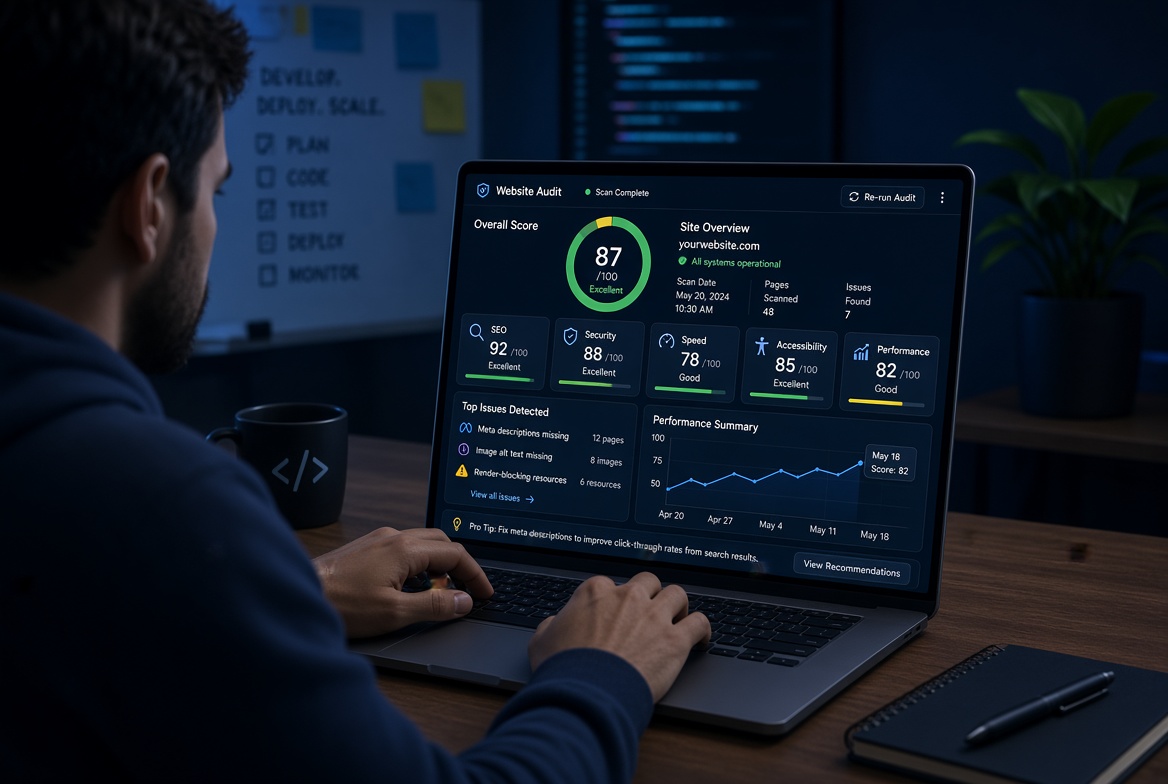
10. Perform a Final Website Audit
Before launch, perform a complete technical audit.
Instead of checking everything manually, developers can use automated website analysis tools to identify technical issues faster.
A proper audit should examine areas such as SEO, security, technology stack, accessibility, third-party services, hosting, and domain configuration.
Final Thoughts
A successful website isn't simply a website that looks good.
It should be:
Fast. Secure. Accessible. Search-friendly. Mobile-friendly. Reliable.
Taking time to perform these checks before launch can prevent many problems later.
With tools such as WookitLab's website analysis features, developers and website owners can make technical checks part of their normal workflow instead of waiting until something breaks.
Launching a new website is exciting, but publishing it before completing the necessary technical checks can create problems that are difficult and expensive to fix later.
A website can look perfect while still having broken links, poor performance, security weaknesses, missing SEO information, or accessibility problems.
Before you make your website public, use this checklist.
1. Test Every Important Page
Start by visiting the major pages of your website.
Check your:
Homepage
About page
Contact page
Pricing page
Login and registration pages
Dashboard
Product pages
Blog pages
Terms and privacy pages
Make sure every important URL loads correctly and doesn't return unnecessary 404 or 500 errors.
2. Check Your URLs
Clean URLs are easier for users and search engines to understand.
For example:
example.com/about
is generally cleaner than:
example.com/about.php?id=12
Make sure your URL structure is consistent throughout the website.
Also check redirects, canonical URLs, trailing slashes, HTTP-to-HTTPS redirection, and duplicate URLs.
3. Test Website Performance
Nobody wants to wait several seconds for a page to load.
Large images, unnecessary JavaScript, excessive third-party scripts, poorly optimized databases, and inefficient server-side code can all slow down a website.
Check:
Page loading time
Image sizes
JavaScript execution
CSS files
Server response time
Caching
Mobile performance
Performance should be tested on both desktop and mobile devices.
4. Check Mobile Responsiveness
A website should work properly on different screen sizes.
Test smartphones, tablets, laptops, and large desktop screens.
Pay attention to:
Navigation menus
Buttons
Forms
Tables
Images
Text size
Horizontal scrolling
Popups
A page that looks perfect on a desktop can still be difficult to use on a phone.
5. Review SEO
Every important page should have appropriate SEO information.
Check:
Page titles
Meta descriptions
Heading structure
Image alt text
Canonical URLs
Sitemap
Robots.txt
Internal links
Open Graph metadata
Don't rely on search engines to figure everything out automatically.
6. Check Security
Security should be considered before launch, not after an attack.
Make sure HTTPS is enabled and sensitive information is protected.
Review:
Authentication
Password storage
Session management
Access control
Input validation
File uploads
API endpoints
Database queries
Security headers
Error messages
Never expose passwords, API keys, database credentials, or sensitive server information in publicly accessible files.
7. Test Forms
Test every form on your website.
For example:
Registration
Login
Contact forms
Search
Password reset
Checkout
File uploads
Test both valid and invalid input.
A form should handle unexpected input gracefully instead of exposing an error or crashing the application.
8. Check Broken Links
Broken links create a poor user experience and can make a website look abandoned.
Scan your website for:
Internal broken links
External broken links
Missing images
Incorrect redirects
Broken navigation buttons
Fix these before launch.
9. Test Error Pages
Your website should handle errors professionally.
Create useful pages for:
404 Not Found
403 Forbidden
500 Server Error
Avoid exposing technical error messages, database queries, file paths, or stack traces to visitors.
10. Perform a Final Website Audit
Before launch, perform a complete technical audit.
Instead of checking everything manually, developers can use automated website analysis tools to identify technical issues faster.
A proper audit should examine areas such as SEO, security, technology stack, accessibility, third-party services, hosting, and domain configuration.
Final Thoughts
A successful website isn't simply a website that looks good.
It should be:
Fast. Secure. Accessible. Search-friendly. Mobile-friendly. Reliable.
Taking time to perform these checks before launch can prevent many problems later.
With tools such as WookitLab's website analysis features, developers and website owners can make technical checks part of their normal workflow instead of waiting until something breaks.